Building a BLE kitchen scale from a load cell
Vesomo is a food-logging app built around one number:
the exact weight of what you’re about to eat. The app can recognise a product and
pull its nutrition, but “how much” has to come from real hardware. So instead of
leaning on an off-the-shelf smart scale with a closed protocol, I built the scale
myself — foodrec-tenso, an ESP32-C3 and an HX711 turning a load cell into grams
and streaming them over Bluetooth LE. This note is the log of that build: the
decisions, the protocol, and the things the hardware taught me.
Why build the scale at all
The whole project rests on a clean split of responsibilities: weight comes from
hardware, identity comes from a barcode or a vision model, and nutrition comes from
a food database. The final record is just weight × nutrients per 100 g. That
means the scale has exactly one job — report trustworthy grams — and it should do
it well enough that the phone can stay a thin client.
Commercial BLE scales exist, but their protocols are undocumented or coarse, and I wanted the weight pipeline to be something I fully control and can calibrate. A load cell, a 24-bit ADC, and a microcontroller with BLE cost very little and give you a device that speaks exactly the protocol you design.
The hardware
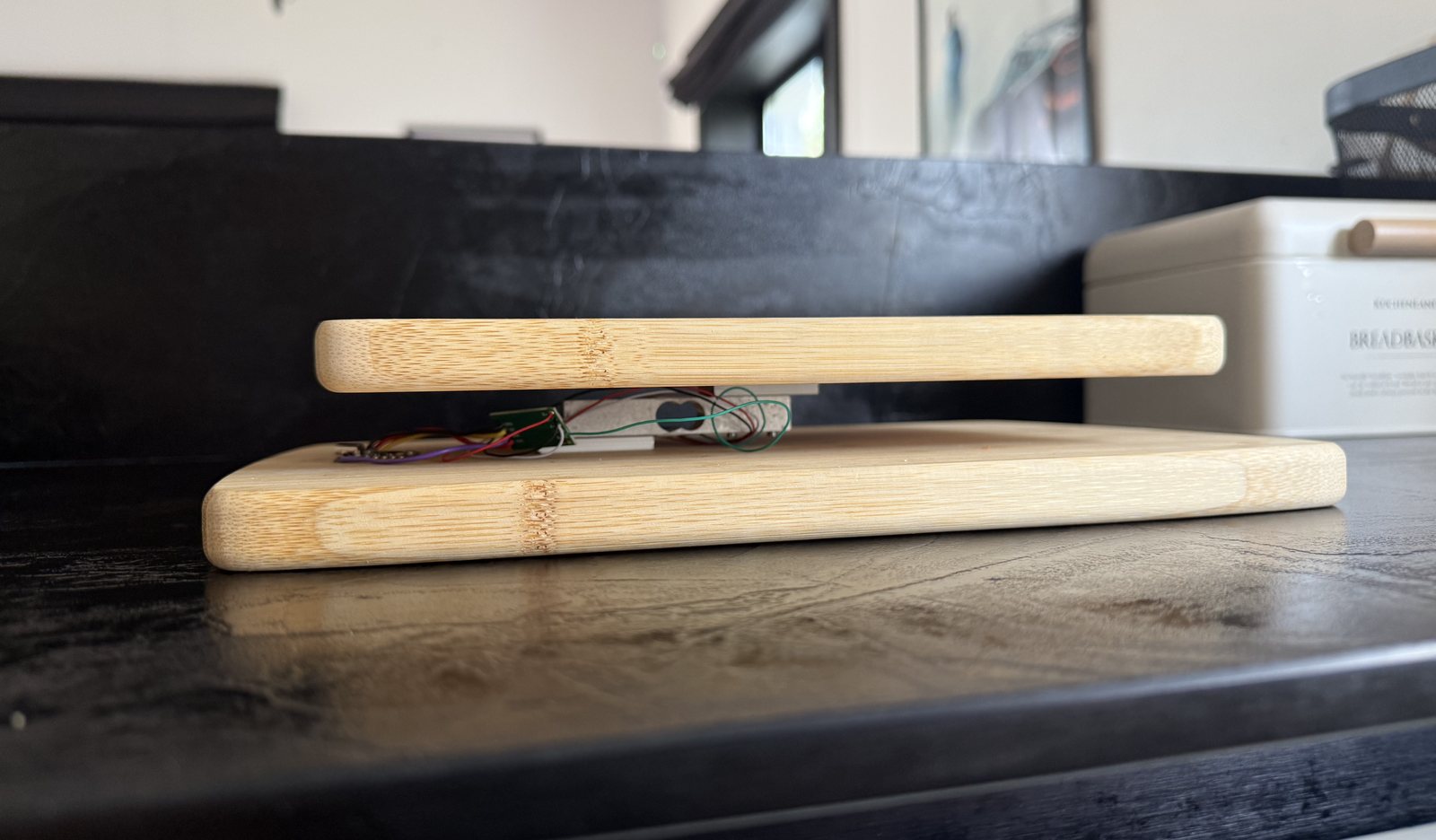
- Load cell — a single-point 5 kg beam. An aluminium bar with four wires, which means it’s already a full Wheatstone bridge and wires straight into the HX711’s channel A. The 5 kg range is deliberate: the maximum is the heaviest food plus a heavy pot (1–1.5 kg), and full scale should sit around 1.5–2× that. After filtering it gives a stable ~0.5–1 g — enough for every kitchen portion except micro-doses of spices.
- ADC — HX711. A 24-bit converter dedicated to bridge sensors, running on channel A at gain 128, sampling at 10 SPS (quieter and more precise than 80 SPS, which is plenty for food).
- MCU — ESP32-C3 Super Mini. Cheap, has BLE, and enough GPIO once you avoid the strapping and USB pins.
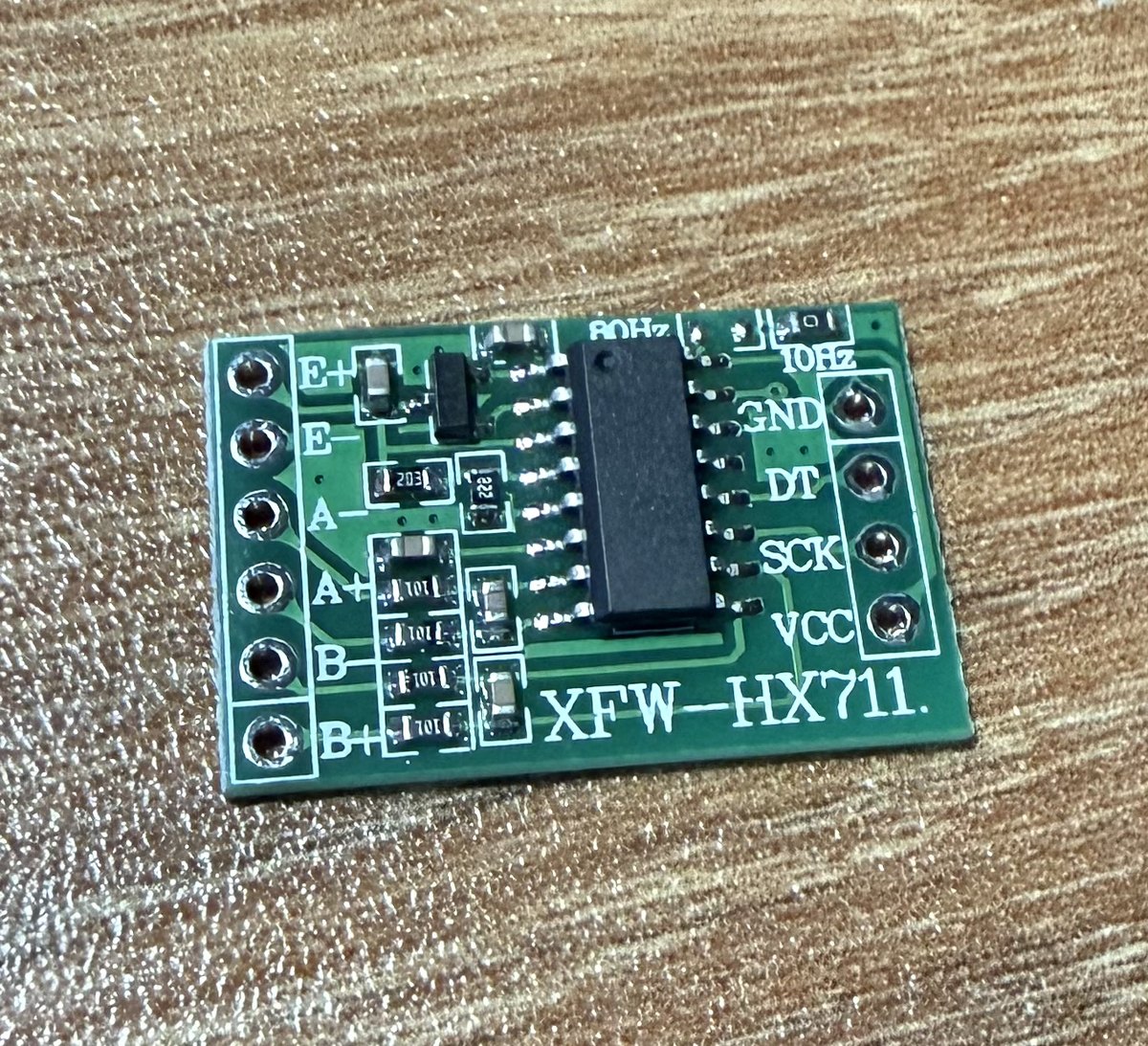
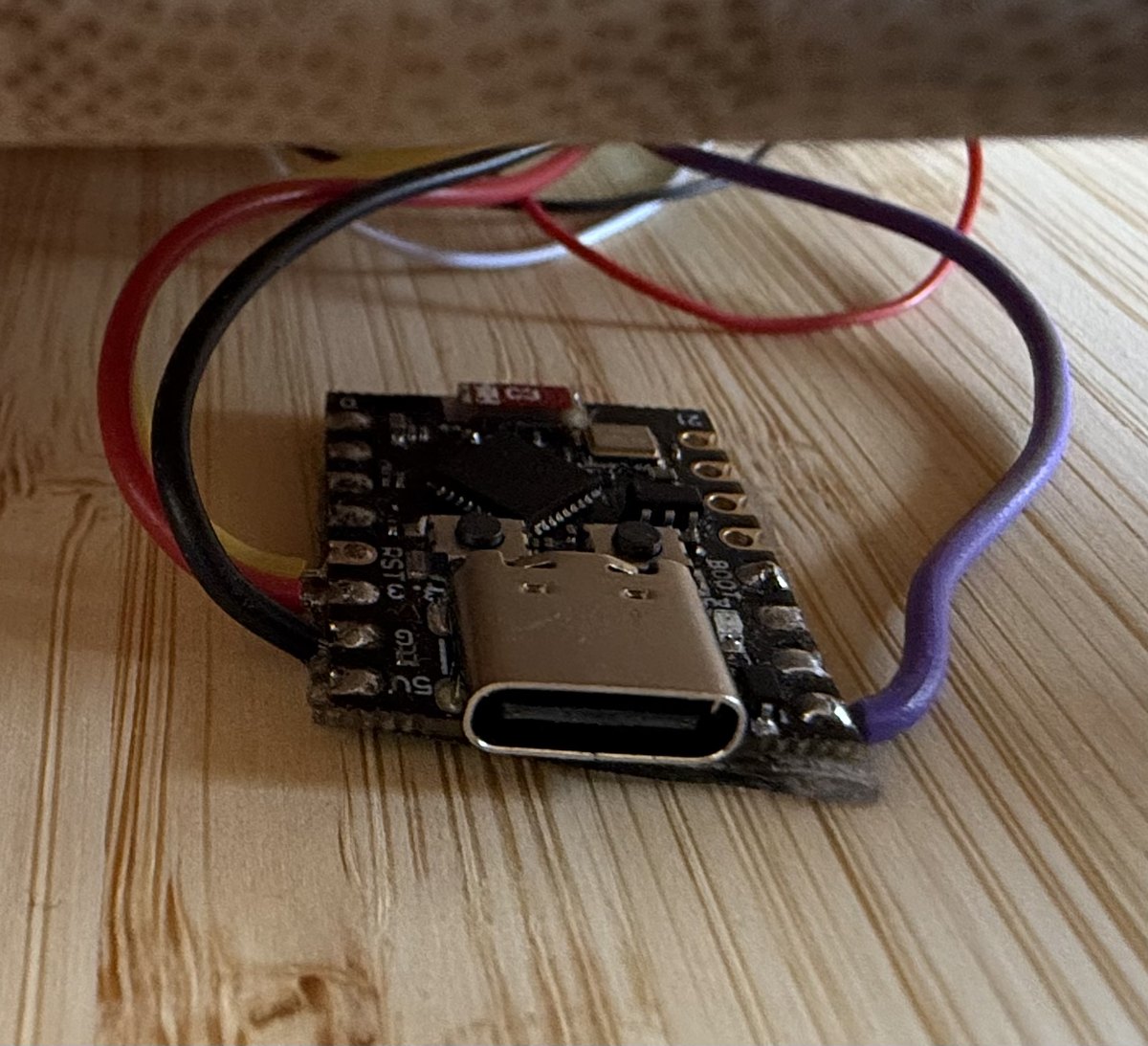
One power detail matters: the HX711 is powered from 3.3 V, not 5 V. It runs fine at 5 V, but then its data line would swing to 5 V into a 3.3 V input. Matching the supply to the MCU’s logic level avoids level shifters entirely.
Weight lives in the firmware, not the client
The single most important architectural decision: the ESP32 owns the raw data and does all the maths — averaging, stability detection, tare, and the calibration factor. It hands out grams already computed, so any client (Mac, phone, a debugging BLE scanner) sees the same number.
The reason is that the calibration factor and the zero offset are properties of one specific load cell. They have to survive a reconnect and a change of client, so they belong in non-volatile storage on the ESP32, not in the app. The measurement loop is straightforward:
- Read the 24-bit raw value from the HX711.
- Filter it (moving average / median over a window) to kill outliers.
- Subtract the tare offset (captured on command, stored in NVS).
- Divide by the calibration factor —
(raw with reference − tare) / known grams, also stored in NVS. - Mark the reading stable when its spread over ~1 s falls under a threshold.
That stable flag is the quiet hero: a diary entry is only recorded off a stable
weight, so the app never captures the moment mid-pour while food is still landing on
the plate.
The BLE protocol
The Bluetooth SIG has a standard Weight Scale profile (0x181D), but it’s built for
bathroom scales — its fixed format quantises to 5 g steps, far too coarse for
food. So the main weight characteristic is custom:
| Characteristic | Properties | Payload |
|---|---|---|
| Weight (custom UUID) | Notify | int32 LE weight in milligrams, plus a flags byte (bit 0 = stable, bit 1 = just tared). 5 bytes. |
| Control (custom UUID) | Write | uint8 opcode (+ uint32 argument for calibration): tare, calibrate, save. |
Two choices worth calling out. Milligrams over the air — an int32 in
milligrams keeps sub-gram resolution with headroom and avoids sending floats over
BLE; the Swift side divides by 1000 once, at the boundary, and everything above it is
grams. And the device advertises its custom service UUID, so the client can scan
by UUID and find its own scale without walking every Bluetooth device in the room.
What’s done, and what the hardware taught me
The firmware side is complete through the BLE server — raw read, calibration in NVS, the stability flag, and a NimBLE GATT server that a generic scanner (nRF Connect, LightBlue) can subscribe to and command. Keeping the firmware verifiable with a third-party scanner meant it could be built and trusted before a single line of the Swift client existed.
A few lessons stood out:
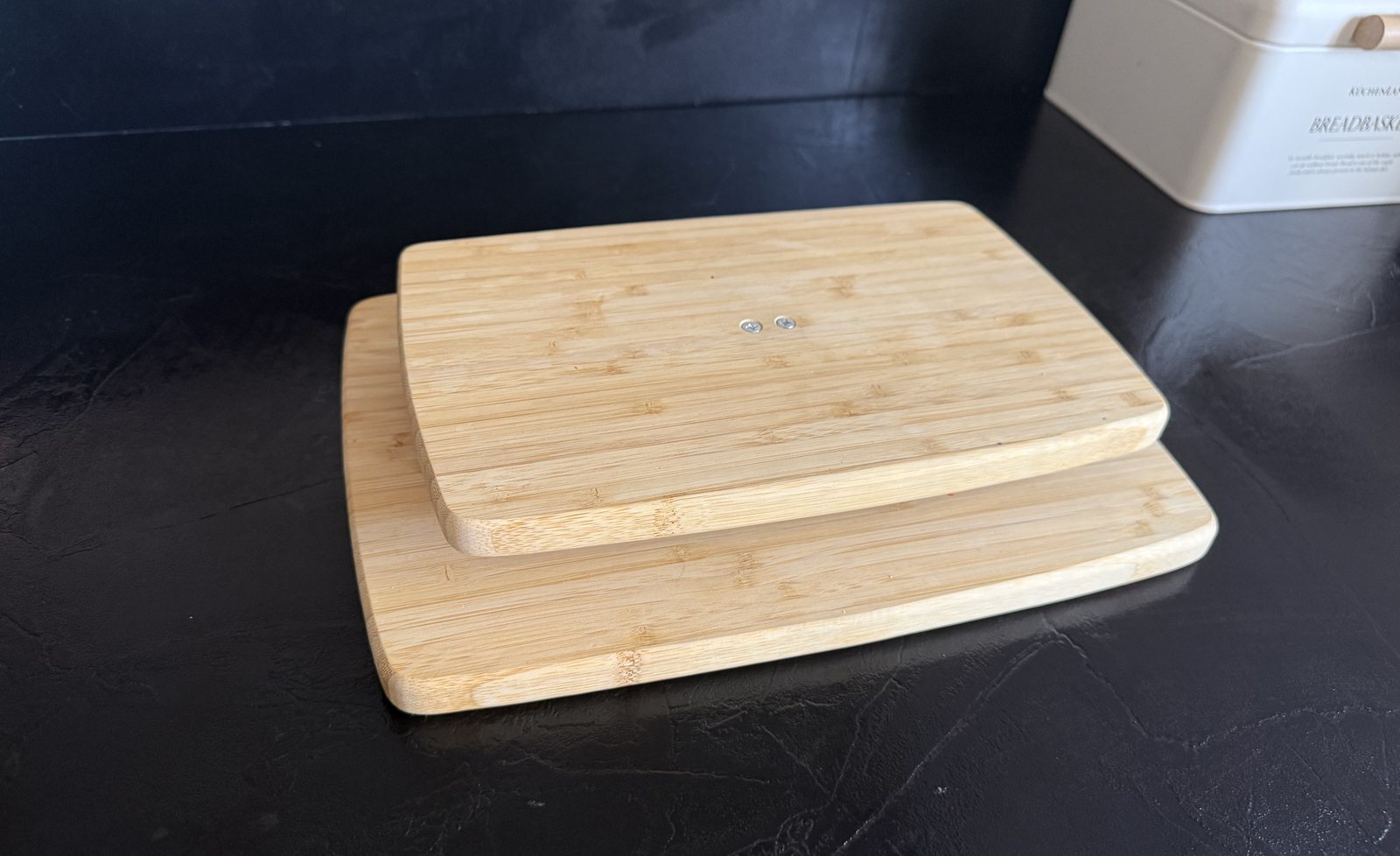
- Mechanics matter more than code. Maybe 80% of the noise and error is in how the beam is mounted. It has to be cantilevered — one end fixed, the other carrying the platform through spacers, with the middle free to flex. If the platform touches the base anywhere else, or a wire props it up, the load is shunted and the reading lies. Get the rig right first; then write firmware.
- Trust the multimeter, not the wire colours. The “standard” colour code for a load cell’s four wires is right often enough to be dangerous. Ring out all six pairs before soldering — the two bridge diagonals read equal and highest.
- A flipped sign isn’t a mistake. If weight goes negative under load, swap the two signal wires or flip the sign in firmware. It’s normal.
- Zero drifts. Load cells creep under load and wander with temperature. The answer is taring before each weighing, not calibrating once and trusting it forever.
Where it’s going
The next step is the Swift ScaleService that turns the notify stream into live
grams inside the app, followed by an enclosure and a battery so the scale runs
without a USB host. But the core is proven: a cheap load cell and a $3 microcontroller
now report grams I can trust, over a protocol I fully own — which is exactly what
Vesomo needed to stand on.